
Copy or Move a Range of Google Calendar Events to New Dates
To copy or move a range of Google Calendar events to new dates, open the GCalExtras add-on in Google Calendar's side panel, choose "Copy/Move Events", pick the calendars and the date range, set the new start date and click "Copy events" or "Move events". Every event in the range lands on the new dates, keeping its spacing, on the same or another calendar.
Here, the events of 4 to 6 May on the Private calendar are copied to the week of 13 May on Misc, then moved to the week after.
1. Install GCalExtras
GCalExtras is a Google Workspace add-on for Google Calendar. Install it from the Google Workspace Marketplace, and its icon appears in the side panel on the right of Google Calendar.

2. Choose the events to copy
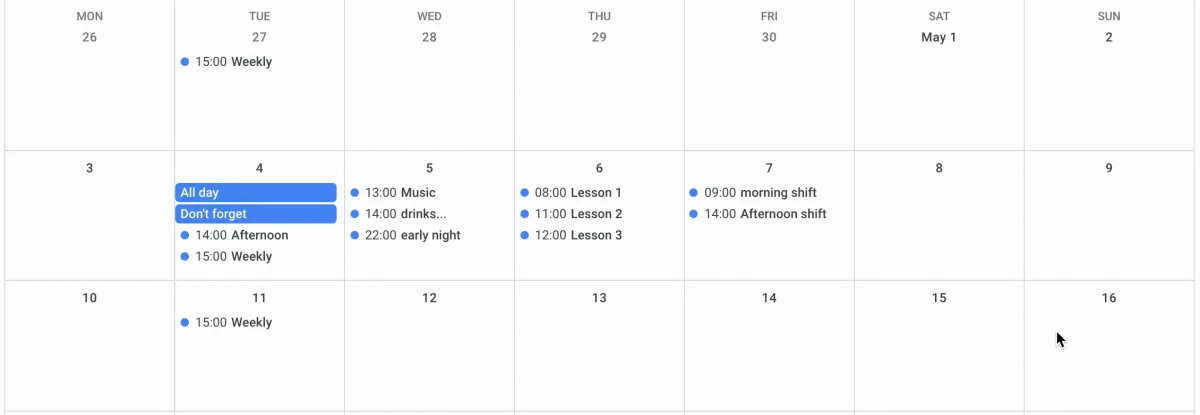
The events to copy are on the Private calendar, Tuesday 4 to Thursday 6 May. One of them, Weekly on the 4th, is an occurrence of a repeating event.
3. Open Copy/Move Events
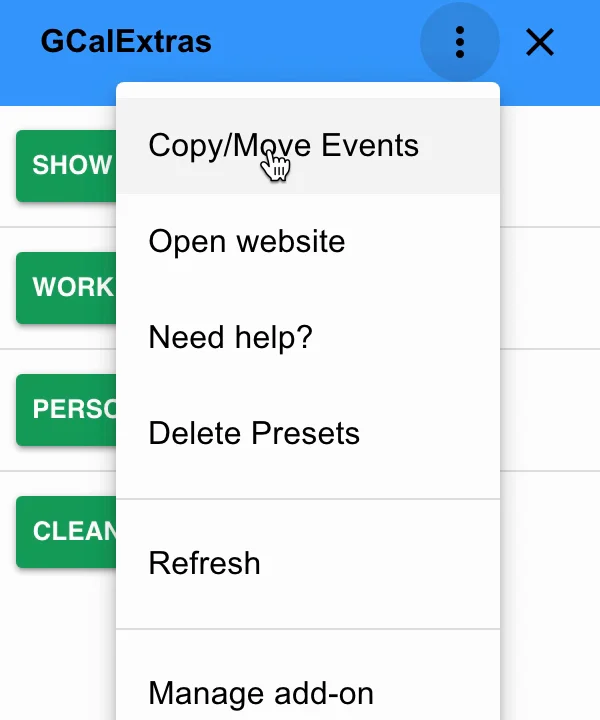
Click the GCalExtras icon in the side panel. Its first page shows your calendar presets; open the menu (the three dots) and choose "Copy/Move Events".
4. Pick the calendars and dates
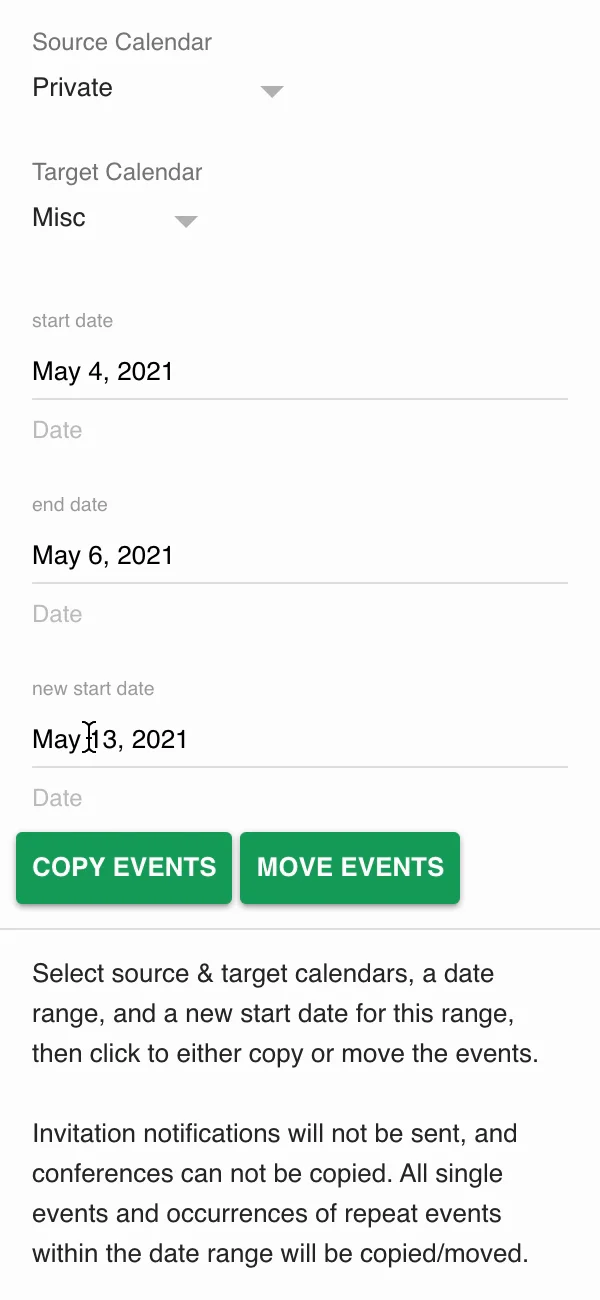
Choose the Source Calendar, here Private, and the Target Calendar, here Misc. Then set the start date and end date of the range (both included) and the new start date: the range starting on 4 May will start on 13 May instead.
5. Copy the events
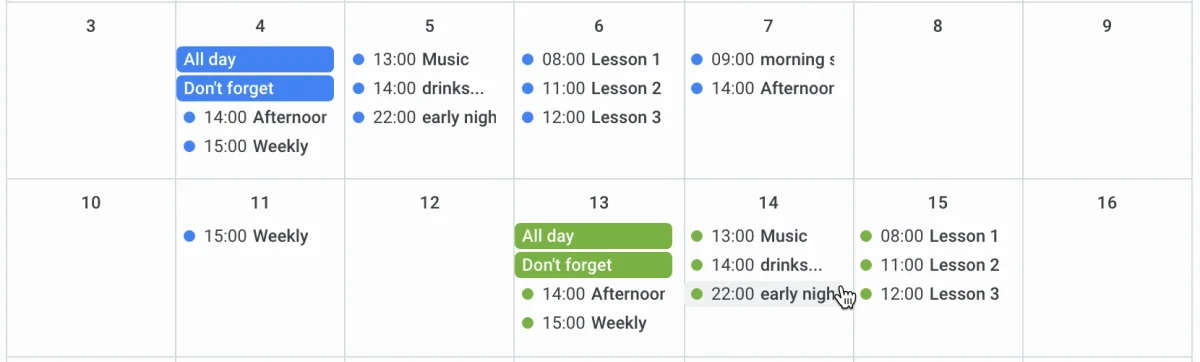
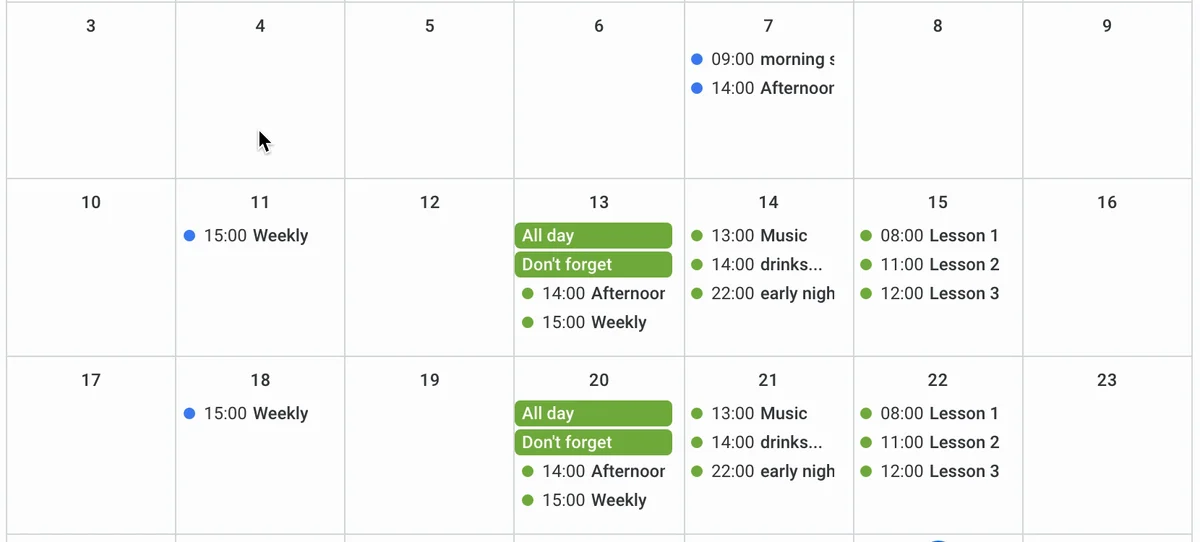
Click "Copy events". After a few seconds GCalExtras reports "10 events copied", and the calendar updates: the events of the 4th are on the 13th, the 5th's on the 14th and the 6th's on the 15th.
A few things to know about copies:
- Guests are copied, but no invitations are sent, so nobody is flooded with emails. Let them know yourself if they need to.
- Conferences, such as Zoom or Google Meet links, aren't copied.
- An occurrence of a repeating event is copied as a single event: the original series is unchanged, and no new series is created.
6. Or move them
To move the events instead, set the new start date, here 20 May, and click "Move events". GCalExtras reports "10 events moved": the events leave 4 to 6 May and appear on 20 to 22 May. For a repeating event, only the occurrence in the range moves; the rest of the series stays where it was.
If the calendar is slow to show the change, refresh the page.
Next time you open Copy/Move Events, GCalExtras remembers the calendars and dates you used last.
Try it
Get GCalExtras to copy and move whole ranges of events in Google Calendar.