
Copy Repeating Events in Google Calendar Without Losing Deleted Occurrences
When you copy a repeating event with Google Calendar's own Copy, any occurrence you deleted from the series comes back in the copy. GCalToolkit copies the series exactly as it is, deleted occurrences included, and can shift the copy by weeks or repeat it several times.
This guide shows Google's Copy going wrong, then the same copy in GCalToolkit.
1. A series with one occurrence deleted
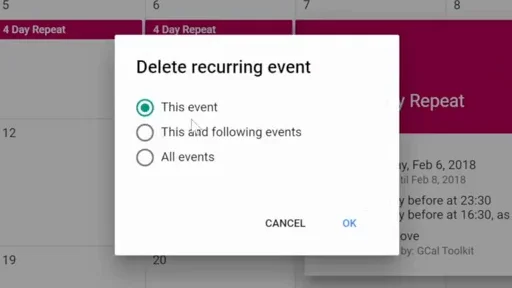
Here's a daily event over four days, Monday 5 to Thursday 8 February. Tuesday is deleted on its own, with "This event", so the series runs Monday, Wednesday and Thursday.
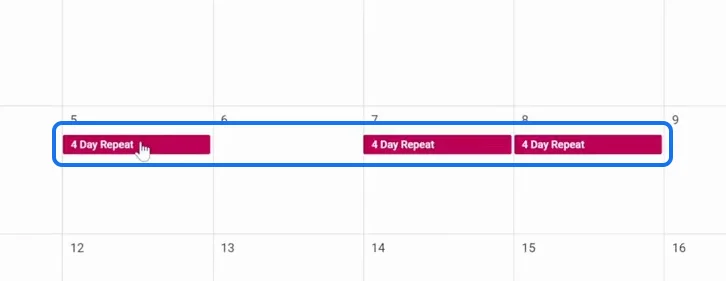
2. Google Calendar's Copy brings Tuesday back
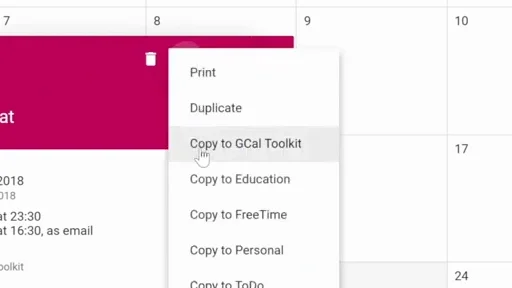
In the event's menu, Google Calendar offers "Copy to" each of your other calendars.
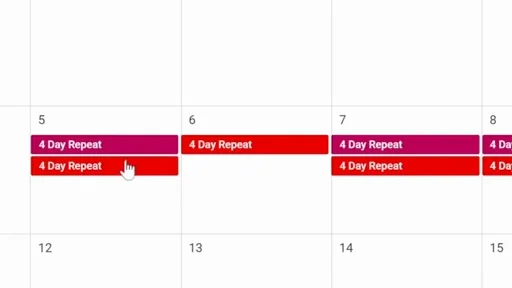
But the copy has all four days: the occurrence that was deleted is back.
3. Load the calendar in GCalToolkit
In GCalToolkit, load the same calendar and fetch its events. The whole series is a single row, and it keeps Tuesday's deletion.
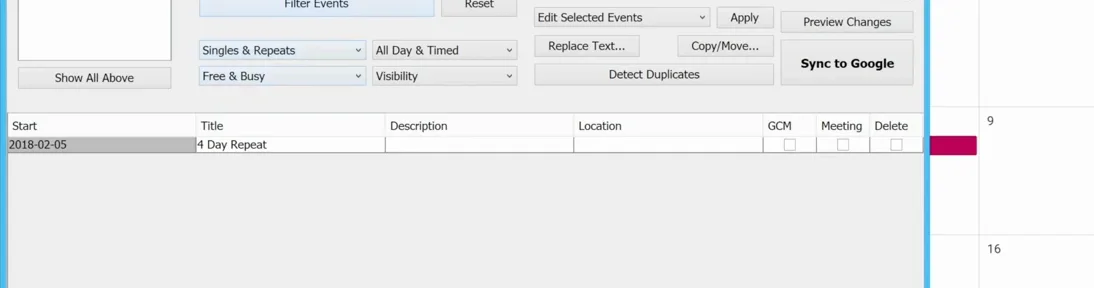
4. Copy it, shifted by a week
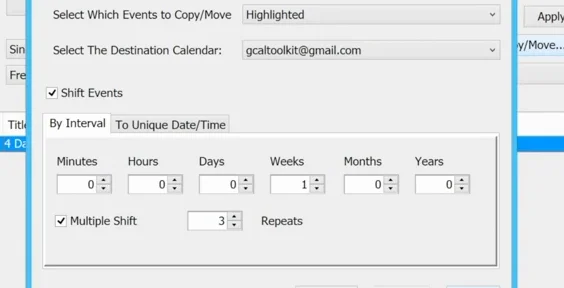
Select the series and click Copy/Move. Choose the calendar to copy to, tick "Shift Events" and set Weeks to 1, so the copy lands a week later. Then click Copy.
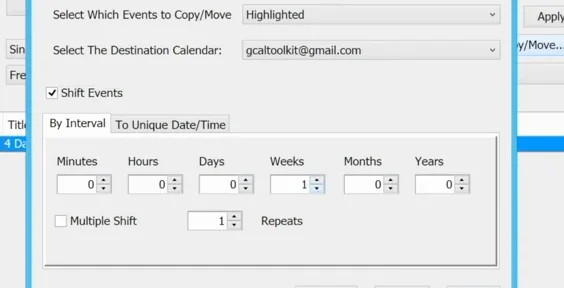
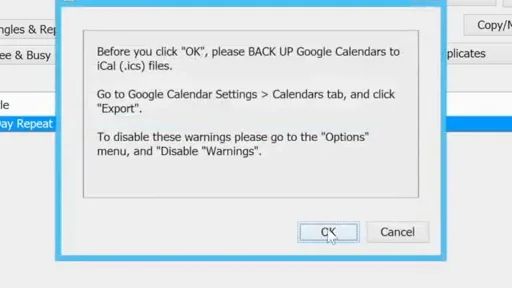
Preview shows the change first, and "Sync to Google" sends it, after a reminder to back up your calendars before you click OK.
The copy appears in the week of 12 February, and Tuesday is still missing, just like the original.
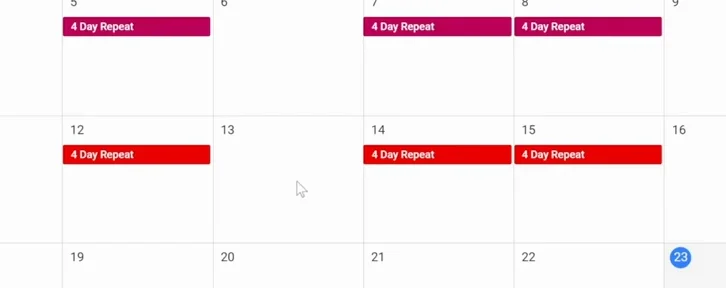
5. Make several copies at once
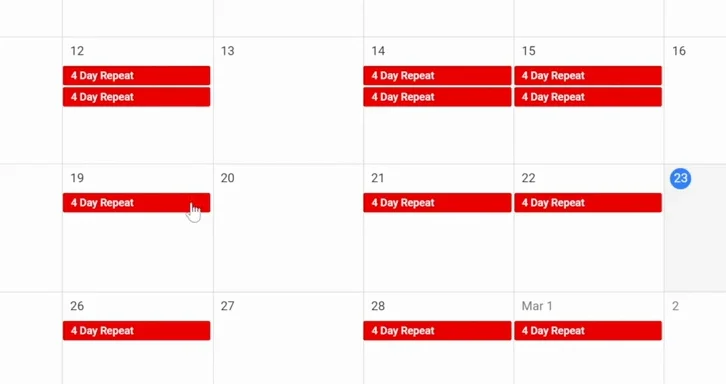
For a run of copies, tick "Multiple Shift" and set the number of repeats, here 3. Copy, and sync again.
Three more weeks, and every copy keeps the gap.
Try it
Get GCalToolkit to copy, move and bulk edit your Google Calendars, and see the GCalToolkit help for every option.