
Change the Time Zone of Many Google Calendar Events at Once
To change the time zone of many Google Calendar events at once, open the calendar in GCalToolkit, select the events, and use "Set timezone" in the Edit menu (Ctrl+T). The events keep their time: only the time zone they're stored in changes.
This often matters after an import: the events show at the right time in Google Calendar, but each one is set to the wrong time zone, which you only see when you edit it.
1. Spot the problem
Here, a series of events shows at 10 am in Google Calendar, but the edit window shows 8:00am, Greenwich Mean Time. Fixing that event by event would take a long time.

2. Open the calendar in GCalToolkit
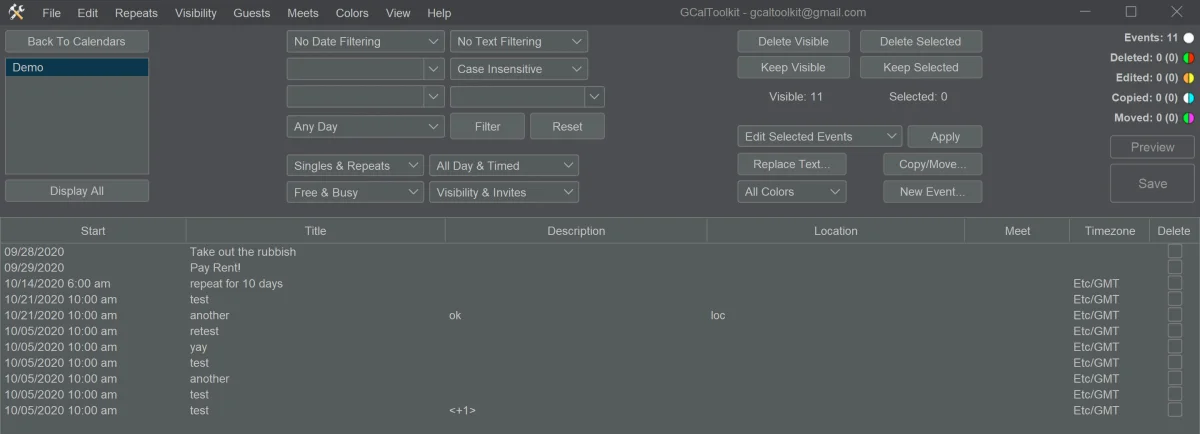
Open the calendar in GCalToolkit, here Demo. The Timezone column shows each event's time zone: Etc/GMT.
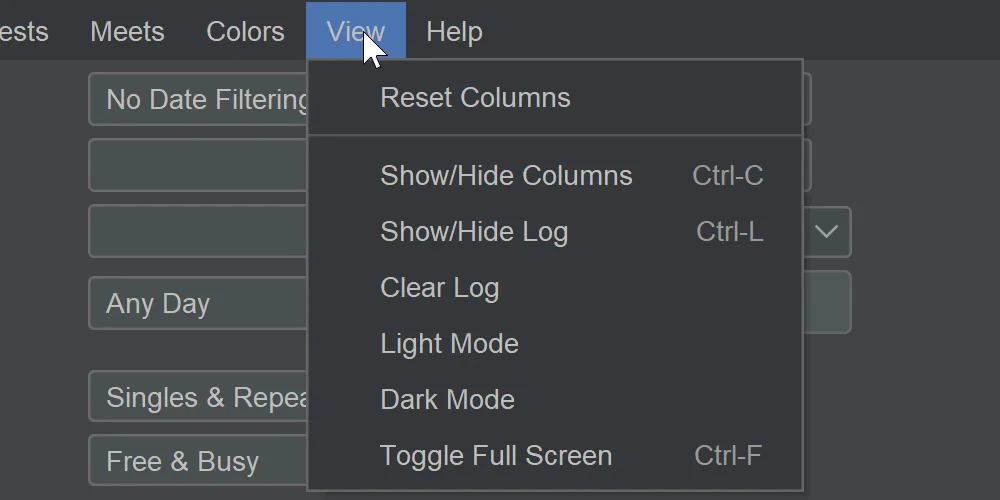
If you don't see the Timezone column, open the View menu and choose Show/Hide Columns (Ctrl+C), then select it.
3. Set the time zone of the selected events
Select the events to change, then choose "Set timezone" in the Edit menu (Ctrl+T). Pick your local time zone, here Europe/Paris, keep "Update start timezone" and "Update end timezone" ticked, and click Apply.
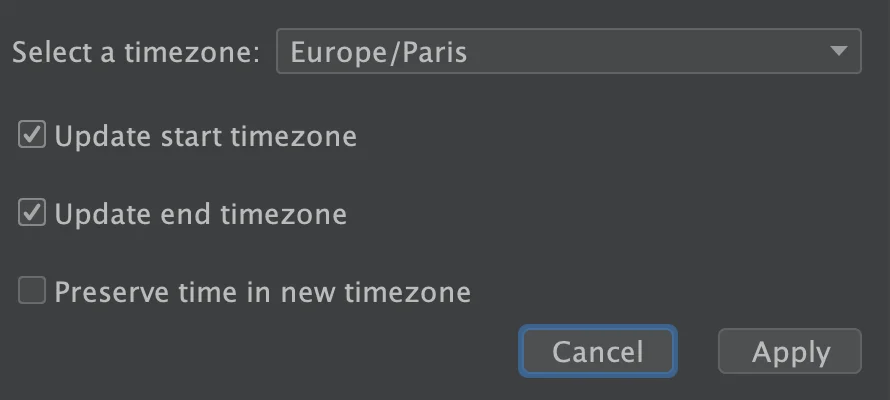
Newer versions of GCalToolkit also offer "Preserve time in new timezone". It keeps the clock time instead of the moment, so an event at 5 pm in Paris becomes 5 pm in New York. This option can't be used on repeating events.
GCalToolkit marks the events, here nine, as ready to change. Click Save to send the change to Google Calendar.
4. Check the result
Open one of the events in Google Calendar: it still shows at 10 am, and its edit window now shows 10:00am in Central European Time - Paris.

Try it
Get GCalToolkit to bulk edit your Google Calendars, and see the GCalToolkit help for every option.