
Events From the Google Calendar App Not Syncing? Check Which Calendar They're Saved To
If events you create in the Google Calendar app don't show up in Google Calendar online, even though the app seems set up to sync, they're probably being saved to a calendar on your phone rather than a Google calendar. When you create an event, check the calendar it's saved to, and pick one under your Google account (your Gmail address).
The app shows every calendar on the phone, not just Google's: a built-in local calendar, other accounts' calendars and, on an iPhone, Outlook and iCloud calendars. Only the ones under your Google account sync with Google Calendar.
1. Check the calendar of a new event
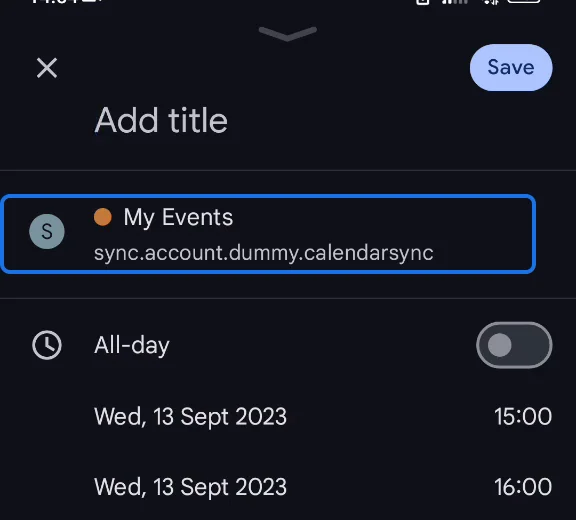
Create an event and look at the calendar it will be saved to, just below the title. Here it's "My Events", whose account isn't a Google account.
2. Choose a calendar under your Google account
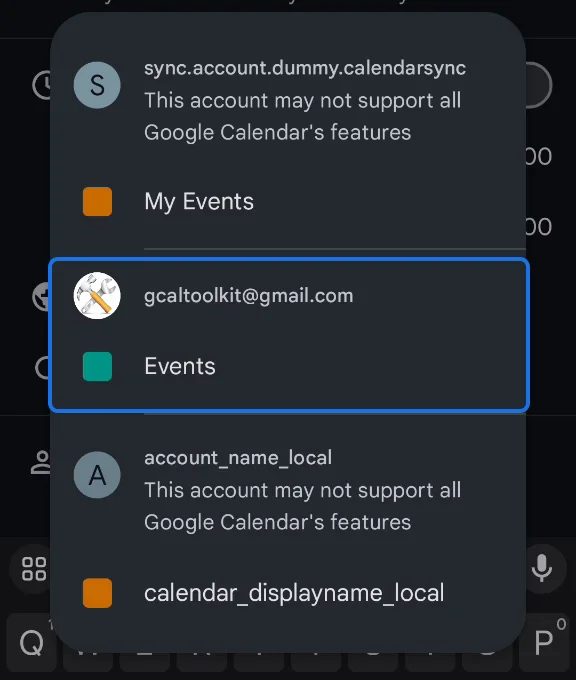
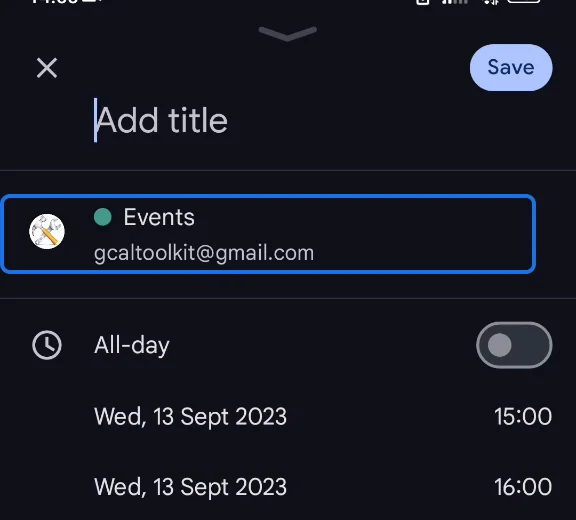
Tap the calendar to see them all. Calendars that won't sync with Google are marked "This account may not support all Google Calendar's features". Choose one listed under your Gmail address instead, here "Events" under gcaltoolkit@gmail.com.
3. Save it
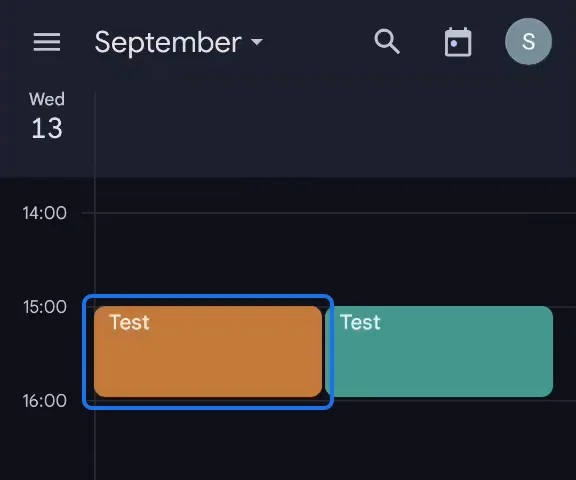
Saved to a Google calendar, the event syncs to Google Calendar online and to your other devices. The same event saved to the local calendar (in orange here) stays on the phone and never syncs.
More Google Calendar fixes
Looking for more ways to get the most out of Google Calendar? See all our tutorials, or watch the Google Calendar Tips and Tricks playlist.