
Show Outlook Calendars in the Google Calendar App on Android
To show Outlook calendars in the Google Calendar app on Android, open the Outlook app's Settings, then Calendar, then Sync calendars, and switch on your account. Then, in Google Calendar, open Settings, then Manage accounts, and switch that account on too.
The way to do this has changed over the years; these are the steps for the 2026 versions of Outlook and Google Calendar. On an iPhone or iPad, see Show Outlook or iCloud Calendars in the Google Calendar App on iPhone and iPad.
1. The Outlook account is missing
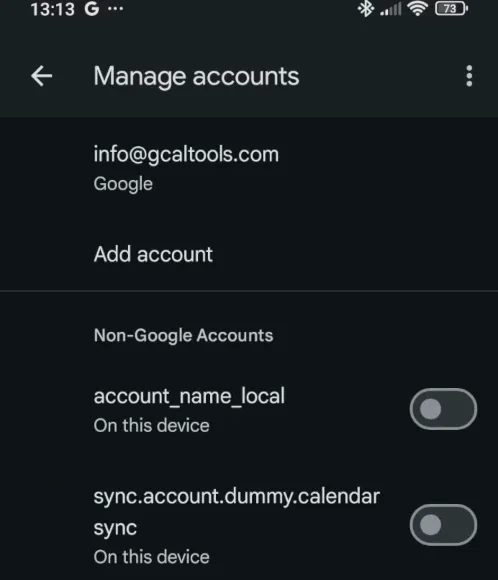
In Google Calendar, Settings, then Manage accounts lists only the accounts on the phone that share their calendars. Here, the Outlook account, info@excelendar.com, isn't there yet.
2. Sync the calendars in the Outlook app
In the Outlook app, open Settings, then Calendar, and tap Sync calendars at the bottom.
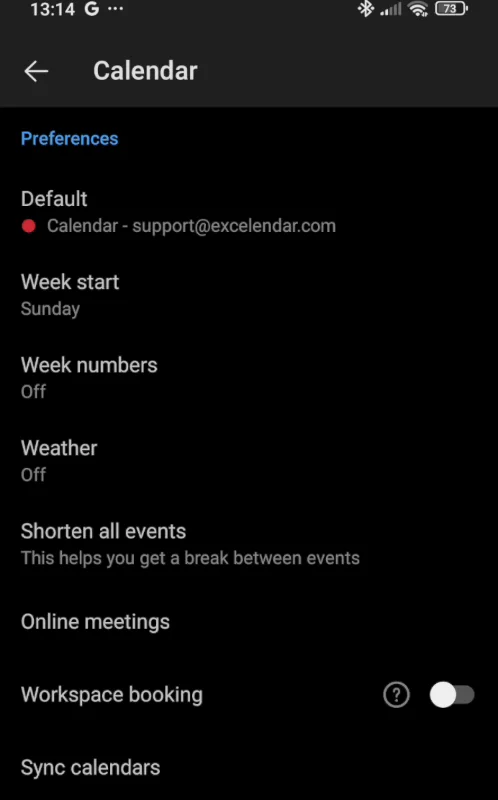
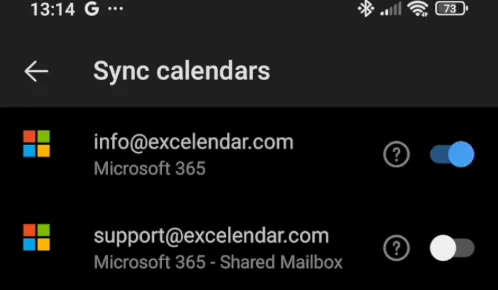
Switch on the account whose calendars you want. This doesn't sync anything with Outlook's servers: it shares the calendars with the phone's calendar storage, which Google Calendar can read.
3. Switch the account on in Google Calendar
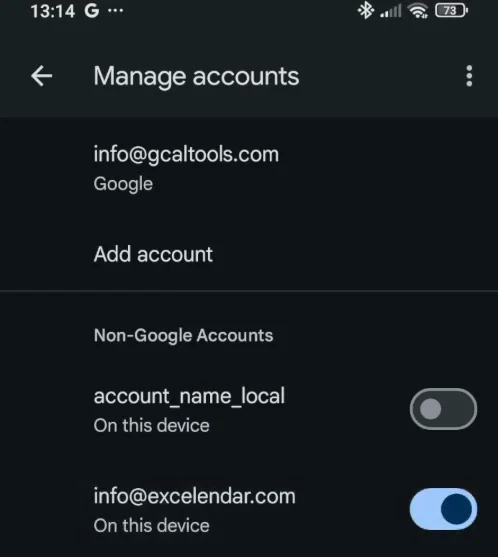
Back in Google Calendar, open Settings, then Manage accounts. If the account doesn't show up yet, go back to the calendar view and open Settings again. Under Non-Google Accounts, switch on the Outlook account.
4. Check your calendars
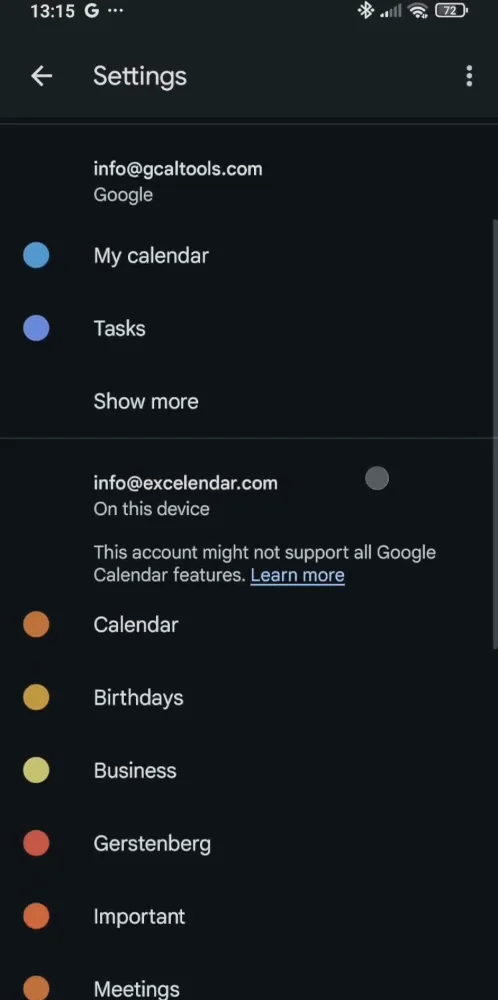
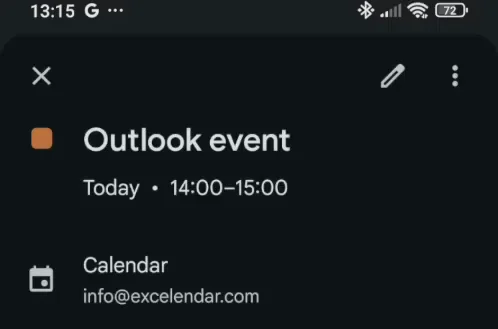
The Outlook account's calendars are now listed in the settings, and their events show in Google Calendar.
More Google Calendar fixes
Looking for more ways to get the most out of Google Calendar? See all our tutorials, or watch the Google Calendar Tips and Tricks playlist.